QoS Advisor
The QoS Advisor automatically detects DDS/RTPS misconfigurations and QoS policy issues. It analyzes traffic patterns and reports problems with actionable recommendations.
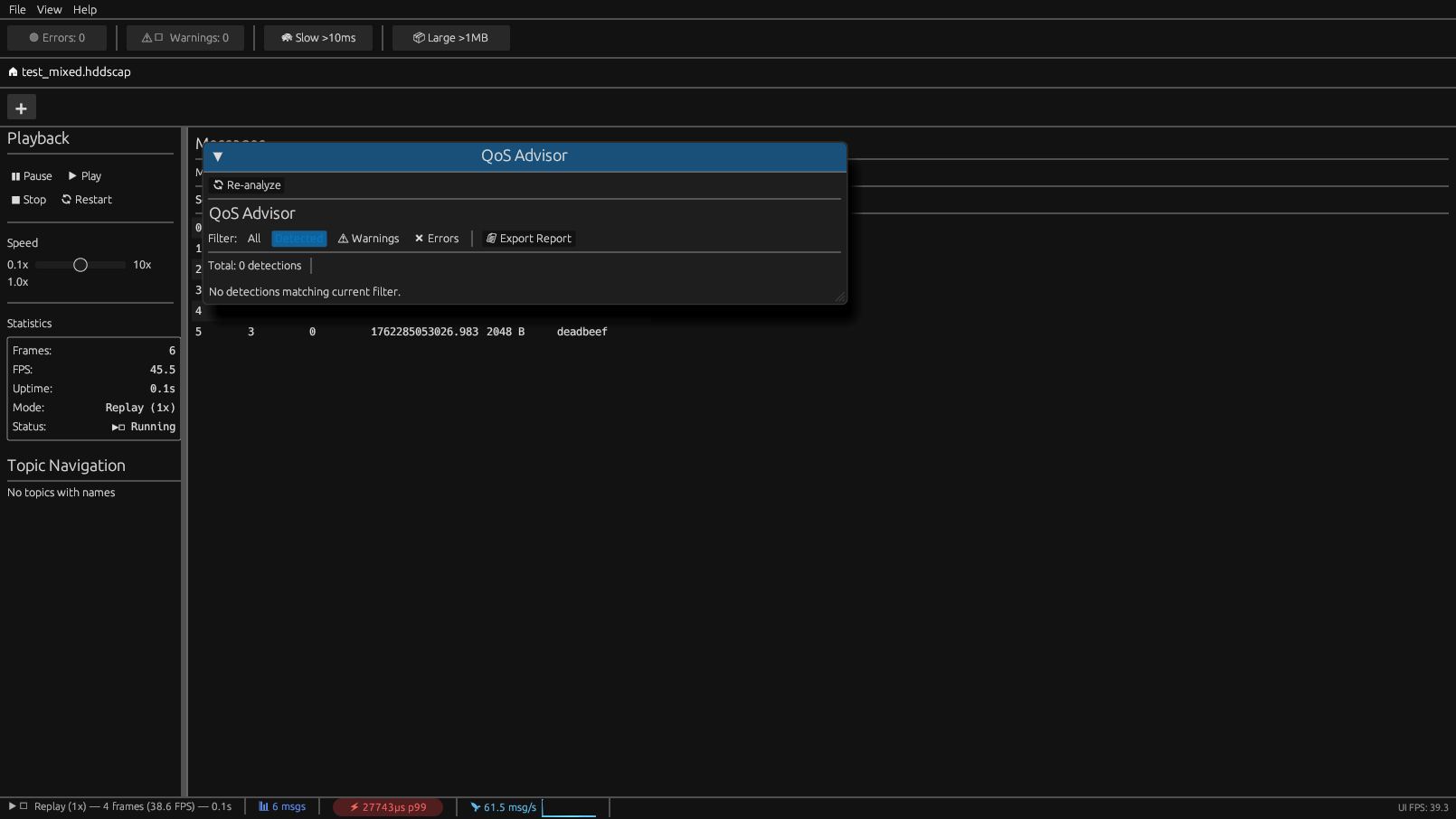
Overview
Access the QoS Advisor via View > QoS Advisor or press Ctrl+Q.
The advisor runs 15 detection rules covering:
- QoS compatibility issues between publishers and subscribers
- Resource exhaustion warnings
- Timing violations
- Type consistency problems
Detection Rules
Core QoS Rules (5)
| Rule | Description | Severity |
| ReliabilityMismatch | Publisher BEST_EFFORT but subscriber expects RELIABLE | High |
|---|---|---|
| DurabilityMismatch | Durability levels incompatible (e.g., VOLATILE vs TRANSIENT_LOCAL) | High |
| HistoryDepthMismatch | History depth too small for subscriber consumption rate | Medium |
| DeadlineViolation | Messages not arriving within Deadline QoS period | High |
| LifespanExpired | Messages expiring before delivery (Lifespan QoS) | Medium |
Extended QoS Rules (10)
| Rule | Description | Severity |
| OwnershipConflict | Multiple writers with EXCLUSIVE ownership on same topic | High |
|---|---|---|
| PartitionMismatch | Publisher and subscriber in different partitions | Medium |
| ContentFilterInefficient | Content filter passing >80% of messages (wasted CPU) | Low |
| LatencyBudgetExceeded | End-to-end latency exceeds LatencyBudget QoS | Medium-High |
| TransportPriorityInversion | Low-priority traffic blocking high-priority | High |
| ResourceLimitsNearMax | Approaching max_samples or history depth limits | Critical |
| LivelinessTimeout | Writer liveliness lease expired (potential crash) | Critical |
| PresentationCoherenceViolation | Coherent updates received out of order | Medium |
| DestinationOrderViolation | Messages delivered out of order | Medium |
| TypeConsistencyWarning | Potential type mismatch between publisher/subscriber | High |
Rule Details
ReliabilityMismatch
Problem: A subscriber configured for RELIABLE is connected to a publisher using BEST_EFFORT. Symptoms:- Missing messages
- Gaps in sequence numbers
- Subscriber reports data loss
// Publisher side - match subscriber's reliability
DataWriterQos qos;
qos.reliability().kind = RELIABLE_RELIABILITY_QOS;
---
DurabilityMismatch
Problem: Durability levels are incompatible (e.g., subscriber expects TRANSIENT_LOCAL but publisher is VOLATILE). Symptoms:- Late-joining subscribers miss historical data
- Inconsistent state across nodes
// Ensure publisher durability >= subscriber durability
DataWriterQos qos;
qos.durability().kind = TRANSIENT_LOCAL_DURABILITY_QOS;
---
OwnershipConflict
Problem: Multiple writers claim EXCLUSIVE ownership on the same topic/instance. Symptoms:- Only highest-strength writer's data is delivered
- Confusing behavior during failover
ownership.kind = EXCLUSIVE per topic.
Fix:
- Use SHARED ownership for multi-writer scenarios
- Or assign different ownership_strength values for failover
---
LivelinessTimeout
Problem: A writer's liveliness lease has expired, indicating potential crash or network partition. Symptoms:- Large gaps in message timestamps
- Subscriber's
on_liveliness_changed()callback triggered
// Configure appropriate lease duration
DataWriterQos qos;
qos.liveliness().kind = AUTOMATIC_LIVELINESS_QOS;
qos.liveliness().lease_duration = Duration_t(1, 0); // 1 second
---
ResourceLimitsNearMax
Problem: Resource usage approaching configured limits (max_samples, max_instances, history depth). Symptoms:- Sample rejection
on_sample_rejected()callback triggered- Memory pressure
// Increase limits or add subscribers to consume faster
DataReaderQos qos;
qos.resource_limits().max_samples = 10000;
qos.history().depth = 100;
---
TypeConsistencyWarning
Problem: Different payload sizes detected on same topic, suggesting type mismatch. Symptoms:- Deserialization failures
- Corrupted data
- CDR decode errors
- Verify all publishers use identical IDL types
- Enable strict type checking:
TypeConsistencyEnforcementQosPolicy qos;
qos.kind = DISALLOW_TYPE_COERCION;
Severity Levels
| Level | Color | Action Required |
| Critical | Red | Immediate attention - system may fail |
|---|---|---|
| High | Orange | Fix before production deployment |
| Medium | Yellow | Should be addressed |
| Low | Blue | Informational / optimization opportunity |
CLI Usage
Run QoS analysis in headless mode:
# Text output
hdds-viewer --analyze capture.hddscap

JSON output for CI/CD integration
hdds-viewer --analyze capture.hddscap --format json

Exit code reflects highest severity
echo $?  # 0=OK, 1=Low, 2=Medium, 3=High, 4=Critical
Integration with CI/CD
# GitHub Actions example
- name: QoS Analysis
run: |
hdds-viewer --analyze test-capture.hddscap --format json > qos-report.json
if [ $? -ge 3 ]; then
echo "QoS issues detected!"
exit 1
fi